
Hybrid Event Setup: A Step-by-Step Technical Guide
Hybrid Event Setup: A Step-by-Step Technical Guide
The hybrid event is no longer a post-pandemic fallback. It has become a format in its own right, chosen to expand audiences, reduce travel, or offer an à la carte experience. But pulling off a successful hybrid requires more than placing a webcam in the corner of a room. The technical quality perceived by online participants determines their engagement, and ultimately the return on investment of the entire event.
This guide details the seven technical steps you need to master to connect your venue to your remote audience, from the initial brief to the day itself.
1. DEFINE THE FORMAT BEFORE THE TECH
Hybrid does not mean 'film the conference'. Three models coexist:
Simple broadcast: the room is filmed, the online audience watches. Interaction limited to chat. This is the classic webinar format transposed into a physical venue.
Two-way interaction: remote participants ask questions in real time, vote, and join Q&A sessions. This requires a dedicated moderator and a visible return feed in the room.
Parallel experience: the online audience has its own programme (backstage interviews, exclusive content, virtual networking). The most complex, but the most engaging.
The model you choose determines the number of cameras, bandwidth, technical crew, and budget. Lock it in before talking equipment.
2. AUDIT THE VENUE'S CONNECTIVITY
Bandwidth is the number one technical factor. A stable HD stream requires at least 10 Mbps dedicated upload; a multi-camera 4K setup with backup feed demands 50 to 100 Mbps. Check three things:
Is the connection fibre or VDSL? VDSL is asymmetric: upload speed is often insufficient for professional streaming.
Is the network dedicated? Guest Wi-Fi must be separate from the production network. A single shared network between 300 smartphones and the control room is a recipe for failure.
Is a 4G/5G backup in place? Professional productions always have a failover line. Ask whether the venue has a bonding device or redundant connection.
At SILO Brussels, the Virtual Space and Workshop Areas have a dedicated fibre connection, separate from guest Wi-Fi, with the option of adding cellular backup through the venue's AV partners.
3. MAP YOUR CAMERA POSITIONS
The number of cameras depends on the format. A keynote in simple broadcast mode works with two cameras (wide shot + close-up on the speaker). An interactive panel discussion requires three to four, plus a room camera to capture audience reactions.
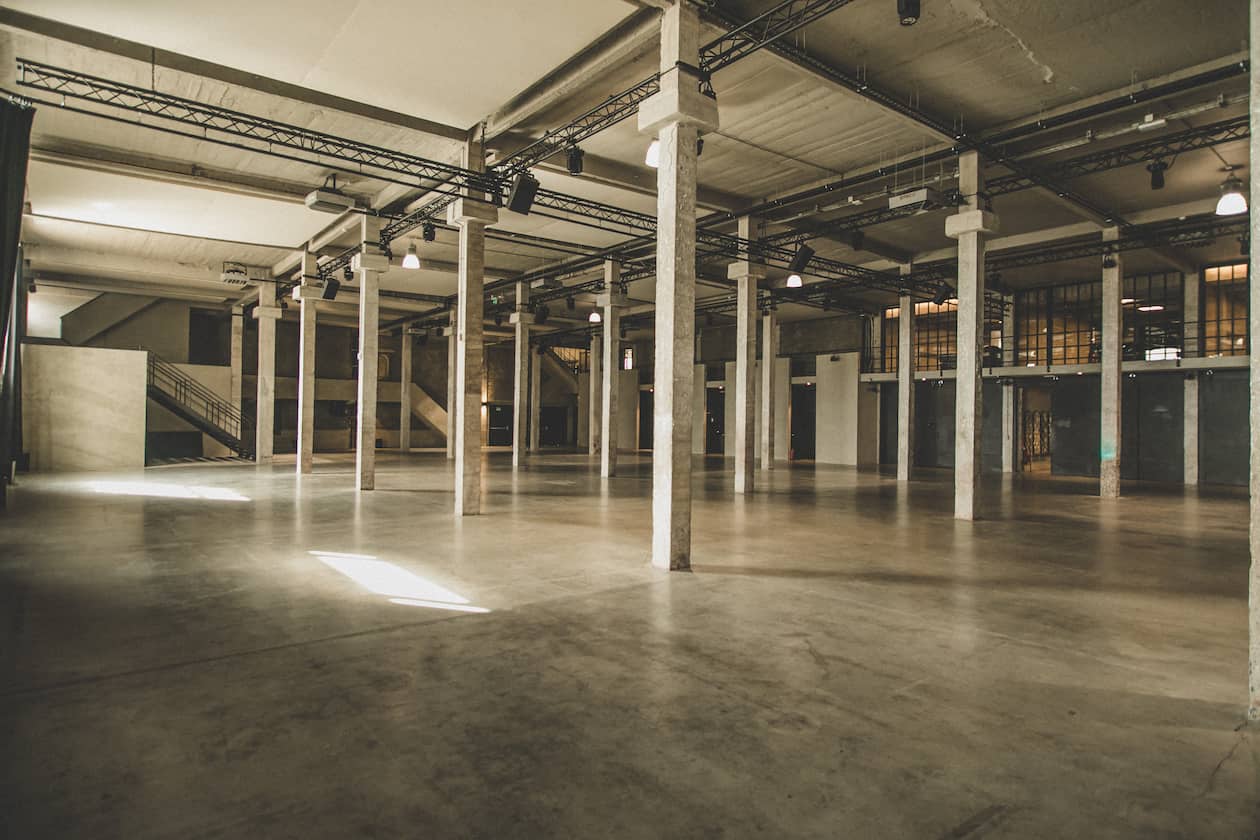
Plan for power outlets, cable runs, and sightlines. A site survey 48 hours before the event prevents surprises. SILO's Meudon hall (1,321 m²) offers overhead rigging points and integrated cable runs; the four Workshop Areas (41 m² each) are pre-wired for turnkey studio configurations.
4. SET UP THE CONTROL ROOM
The control room is the nerve centre of a hybrid event. It receives camera feeds, manages audio mixing, inserts presentations, and pushes the signal to the streaming platform. Allocate a dedicated space, isolated from room noise, with a direct view or video return from the stage.
For conferences of 200 to 500 people, a standard control room includes: a video switcher (e.g. ATEM), a hardware encoder, a multiview monitor, an audio mixer, and a moderation station for chat and online Q&A.
5. CHOOSE YOUR STREAMING PLATFORM
YouTube Live and Vimeo are suitable for open broadcasts. For private events with registration, platforms like Livestorm, Hopin, or ON24 offer registration, analytics, and interaction features. Three selection criteria:
Latency: standard RTMP platforms have a 15 to 30-second delay. For smooth Q&A, aim for a sub-5-second solution (WebRTC or SRT).
Interactivity: chat, polls, hand-raising, networking rooms. The richer the interaction, the longer the audience stays.
Analytics: retention rate, average viewing time, questions asked. This data justifies the hybrid budget to decision-makers.
6. TREAT AUDIO AS YOUR TOP PRIORITY
Audio is the number one reason online participants drop off. Viewers will tolerate average video, but disconnect the moment audio crackles or echoes. Three rules:
Individual mics for every speaker (lavalier or headset). Table mics pick up ambient noise and degrade the online experience.
Separate audio feed for the stream. The room mix (with reverberation) is not the stream mix (dry, compressed). The control room must produce two distinct audio buses.
Soundcheck with the AV partner at least 2 hours before doors open. Test audio under real conditions, with presentations loaded and mics in position.
7. RUN A FULL DRY RUN
The dry run is non-negotiable. 24 to 48 hours before the event, simulate the entire flow: camera transitions, slide insertions, chat moderation, stream cut and restart, backup plan in case of connection loss. SILO's experienced AV partners coordinate these rehearsals with organisers so that on the day, the technical team runs on autopilot.
WHY SILO BRUSSELS FOR A HYBRID EVENT
SILO combines several rare assets in a single venue: a dedicated fibre connection for production, four pre-wired Workshop Areas functioning as broadcast studios, the SILO Press Zone designed for media productions, a 1,321 m² Meudon hall with overhead rigging points and integrated cable runs, and a network of AV partners experienced in hybrid formats. The entire venue is Access-i certified. SILO is listed as a leading event venue in Brussels.
Book a technical site visit and our team will configure a proposal tailored to your format, audience, and budget.